XLM for Linux


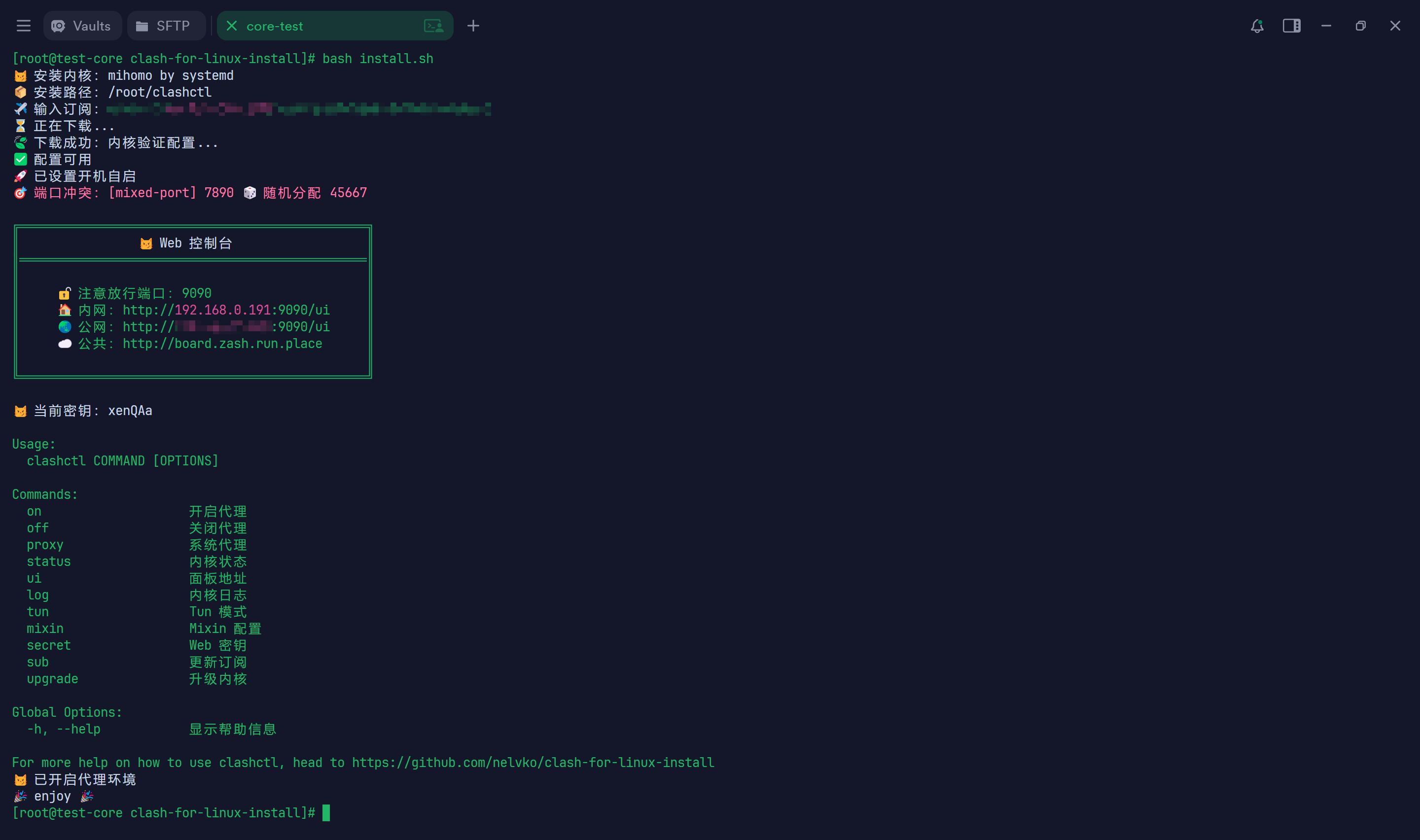
✨ Features
- Supports one-click installation of
mihomoandclashproxy cores. - Compatible with
rootand regular user environments. - Supports major
Linuxdistributions and containerized environments likeAutoDL. - Automatically detects port conflicts and assigns available ports if needed.
- Automatically detects system architecture and init system, downloads the matching core and dependencies, and generates the corresponding service configuration.
- Calls subconverter for local subscription conversion if necessary.
🚀 One-Click Installation
Run the following command in the terminal to install:
git clone --branch master --depth 1 https://gh-proxy.org/https://github.com/nelvko/clash-for-linux-install.git \
  && cd clash-for-linux-install \
  && bash install.sh
示例:
# Default installation of mihomo
bash install.sh

# Install clash
bash install.sh clash

# Install as a regular user with sudo
sudo bash install.sh
⌨️ Command Overview
Usage:
  clashctl COMMAND [OPTIONS]

Commands:
    on                    Enable proxy
    off                   Disable proxy
    status                Core status
    proxy                 System proxy
    ui                    Web dashboard
    secret                Web secret
    sub                   Subscription management
    upgrade               Upgrade core
    tun                   Tun mode
    mixin                 Mixin configuration

Global Options:
    -h, --help            Show help information
💡clashon 同 clashctl on,Tab 补全更方便!
优雅启停
$ clashon
😼 已开启代理环境

$ clashoff
😼 已关闭代理环境
- 在启停代理内核的同时,同步设置系统代理。
- 亦可通过
clashproxy单独控制系统代理。
Web 控制台
$ clashui
╔═══════════════════════════════════════════════╗
║                😼 Web 控制台                  ║
║═══════════════════════════════════════════════║
║                                               ║
║     🔓 注意放行端口:9090                      ║
║     🏠 内网:http://192.168.0.1:9090/ui       ║
║     🌏 公网:http://8.8.8.8:9090/ui          ║
║     ☁️ 公共:http://board.zash.run.place      ║
║                                               ║
╚═══════════════════════════════════════════════╝

$ clashsecret mysecret
😼 密钥更新成功,已重启生效

$ clashsecret
😼 当前密钥:mysecret
- 可通过浏览器打开
Web控制台进行可视化操作,例如切换节点、查看日志等。 - 默认使用 zashboard 作为控制台前端,如需更换可自行配置。
- 若需将控制台暴露到公网,建议定期更换访问密钥,或通过
SSH端口转发方式进行安全访问。
Mixin 配置
$ clashmixin
😼 查看 Mixin 配置

$ clashmixin -e
😼 编辑 Mixin 配置

$ clashmixin -c
😼 查看原始订阅配置

$ clashmixin -r
😼 查看运行时配置
- 通过
Mixin自定义的配置内容会与原始订阅进行深度合并,且Mixin具有最高优先级,最终生成内核启动时加载的运行时配置。 Mixin支持以前置、后置或覆盖的方式,对原始订阅中的规则、节点及策略组进行新增或修改。
升级内核
$ clashupgrade
😼 请求内核升级...
{"status":"ok"}
😼 内核升级成功
- 升级过程由代理内核自动完成;如需查看详细的升级日志,可添加
-v参数。 - 建议通过
clashmixin为github配置代理规则,以避免因网络问题导致请求失败。
管理订阅
$ clashsub update https://example.com
👌 正在下载:原配置已备份...
🍃 下载成功:内核验证配置...
🍃 订阅更新成功

$ clashsub update --auto
😼 已设置定时更新订阅

$ clashsub log
2025-12-12 18:03:21 ✅ 订阅更新成功:https://example.com
- 可通过
.env文件配置默认订阅链接。 - 若不存在可用的订阅链接,则基于当前原始订阅配置(
config.yaml)进行更新。 - 可通过
crontab -e修改定时更新配置。
Tun 模式
$ clashtun
😾 Tun 状态:关闭

$ clashtun on
😼 Tun 模式已开启
- 作用:实现本机及
Docker等容器的所有流量路由到clash代理、DNS 劫持等。 - 原理:clash-verge-rev、 clash.wiki。
- 注意事项:#100
🗑️ 卸载
bash uninstall.sh
📖 常见问题
⚠️ 特别声明
- 编写本项目主要目的为学习和研究
Shell编程,不得将本项目中任何内容用于违反国家/地区/组织等的法律法规或相关规定的其他用途。 - 本项目保留随时对免责声明进行补充或更改的权利,直接或间接使用本项目内容的个人或组织,视为接受本项目的特别声明。